

Surprising fact: more than half of U.S. remote hiring funnels now use automated screens as the first step, so your first point of contact may not be a human.
This guide helps you build a repeatable routine to improve clarity, confidence, and keyword alignment without sounding robotic. You’ll learn the common formats—one‑way video, chatbot, and AI‑assisted live sessions—and what each evaluates.
We break down practical steps you can use right away: platform research, STAR answer structure, on‑camera delivery, resume keyword alignment, and a quick technical checklist. You’ll get simple drills that take 30–60 minutes a day.
No need to game systems. The goal is clear, consistent communication that shows fit for the role and moves your job search and career forward. Read on for a friendly, step‑by‑step prep plan and a ready-to-use checklist.
Key Takeaways
- Automated screening is common for remote roles—plan for it first.
- Expect one‑way video, chatbot, or assisted live formats.
- Use STAR answers, camera drills, and keyword alignment.
- Spend 30–60 minutes daily on targeted prep tasks.
- Focus on clear, human communication—not tricks.
What AI Interviews Are and Why Employers Use Them
Many companies now rely on software to collect, transcribe, and score answers as an initial hiring filter. In plain terms, these systems gather your responses, turn speech into searchable text, and highlight matches for a recruiter to review.
How Automation Speeds Hiring for Remote Roles
Speed matters when hundreds of applicants apply from across the U.S. Recruiters standardize prompts, compare answers quickly, and shorten time-to-first-screen.
Why Consistency and Reduced Bias Appeal to Employers
Using the same questions and timing rules gives each candidate comparable inputs. That structure helps teams judge skills more fairly than ad hoc early-stage reviews.
How These Systems Scale for High‑Volume Applicant Pools
Different tools focus on different signals—timed video, typed chat, or live assist—so the platform you face changes what matters most.
- Defines screening software that collects and evaluates responses.
- Helps recruiters sort many job seekers faster.
- Offers consistent prompts to make early-stage reviews fairer.
Common AI Interview Formats You’ll See in US Hiring
Know the three formats hiring teams use most so you can match your delivery to the tool.
One‑Way Video With Timed Prompts
You record answers to set prompts on a fixed timer. Often there are limited re-takes or none at all.
Tips: keep answers structured, watch pacing, and mirror job description language.
Conversational Chatbot (Text or Voice)
The system asks questions in text or spoken form and expects matching responses in the same language. It can feel casual, but it logs every word.
Tips: be concise, use clear examples, and expect dynamic follow-ups rather than a single script.
AI‑Assisted Live Sessions With Transcript and Suggestions
Live interviews may include realtime transcription and near-instant suggestions for prompts or keywords. Tools can surface key terms as you speak.
Tips: stay human—use STAR structure, keep energy steady, and let the tool augment rather than lead your answers.

| Format | What it Records | Key Prep Focus |
|---|---|---|
| One‑way video | Video responses, time limits | Camera presence, pacing, concise STAR answers |
| Chatbot (text/voice) | Text or audio logs, dynamic prompts | Clear language, short examples, crisp written answers |
| Assisted live | Realtime transcript, keyword highlights | Maintain natural tone, emphasize keywords, steady energy |
What AI Interview Software Evaluates in Your Responses
Recruiting platforms score both what you say and how you say it, so small delivery choices matter.
They look at five core signals that shape your overall result. Each signal maps to clear actions you can take during prep.
Keyword Alignment With the Job Description and Role Requirements
The system checks overlap between your language and the job description—tools, duties, and outcomes matter. Use exact role terms where accurate.
Speech Clarity, Pacing, and Confidence/Energy
Clear phrasing and steady pacing read as confidence. Calm energy is better than rush or monotone.
Filler Words and Verbal Habits
Common filler words—like “um,” “like,” or “you know”—dilute strong points. Record and review to cut them down.
Eye Contact, Facial Expressions, Posture, and On‑Camera Presence
Keep your eye line near the camera, a relaxed face, and upright posture. Minimal fidgeting makes your message easier to trust.
Answer Structure and STAR Scoring
Structured answers (Situation, Task, Action, Result) show context, ownership, and measurable impact. That format scores well.
| What is Evaluated | What the System Flags | Quick Fix |
|---|---|---|
| Keyword overlap | Matches with job description and role terms | Mirror wording from the posting |
| Delivery | Clarity, pacing, and confidence | Slow down, add energy, breathe |
| Verbal habits | Filler words and repetitions | Record, count, and reduce |
| Nonverbal cues | Eye line, expression, posture | Camera at eye level, sit steady |
| Structure | STAR-style answers and clear results | Practice concise Situation→Action→Result |
Use feedback as an advantage. Platforms like SkillsFirst and Remasto deliver actionable feedback and insights on both content and delivery. That lets you improve real skills and interview performance, not just rehearse lines.
Top Companies Using AI Interviews in Their Hiring Process
Large employers increasingly automate first-round screens to handle huge applicant volumes across many locations.

Who uses this at scale? Major firms such as Amazon, Google, Microsoft, Unilever, and Siemens rely on standardized screening for many roles.
Why they do it: these companies recruit for thousands of openings, across geographies and job levels. Automation helps triage candidates before humans spend time on calls.
What This Means for You
- Expect the process to start with automated screens even for remote job listings.
- Enterprises often repeat asked questions patterns by role and seniority—behavioral prompts and technical checks are common.
- Look for company-level clues on careers pages, recruiter emails, or scheduling links to learn the likely format.
Good news: you don’t need insider access to compete. A focused prep plan, role-specific reps, and clear examples will put you on equal footing.
AI Interview Practice: Build a Prep Plan That Matches the Platform
Start by confirming the platform you’ll face—knowing the format changes everything you rehearse.

Identify the Tool and the Interview Type
Check the invite email, scheduling page, and instructions to confirm whether you’ll record timed answers, chat in text, or join a live session with assistant tools.
Research common names like HireVue, SkillsFirst, and Remasto so you know what to expect and which features to test.
Practice With Role‑Based and Stage‑Based Questions
Start with role-based reps to lock in core responsibilities for the specific job. Then run stage-based sessions—pre-screen, first round, final round—to match how depth changes.
Tools such as SkillsFirst offer stage simulations; Remasto generates role and job description-based prompts with analytics you can use.
Run Job‑Description‑Based Sessions and a Repeatable Routine
Mirror language from job descriptions without copying lines. Use short sessions: 20 minutes question reps, 10 minutes review, 10 minutes adjustments for your next interview.
Focus on adaptable stories, not memorized scripts—this keeps your delivery natural in a real interview.
Optimize Your Resume and Talking Points for Automated Screening
Make your resume and answers tell the same clear story so screening tools and hiring teams agree on your fit.
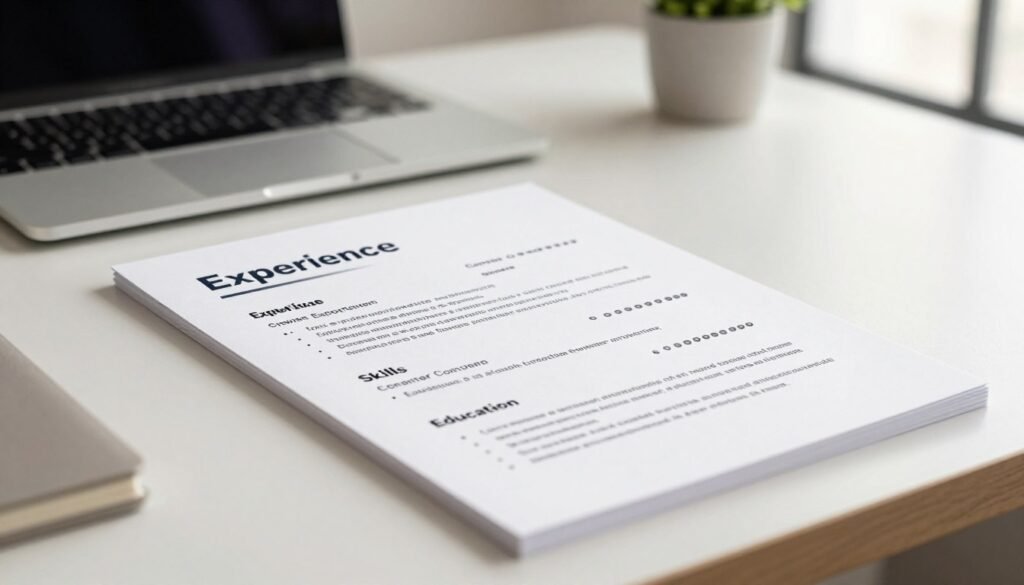
Mirror the job description keywords without stuffing. Pull the top three requirements from the job description and weave them into concise resume bullets and short talking points. Use the exact term only when it truly matches your work.
How to Avoid Keyword Stuffing
Keyword stuffing looks like a list of tools or terms with no context. Replace that with proof: what you did, the tools you used, and the measurable result.
Create a Skills‑to‑Impact Map
For each key skill, write 1–2 proof bullets: a metric, the tool, and a note on collaboration. Keep these ready to reuse for common questions.
Prep Remote‑Specific Proof Points
Include short examples that show async communication, documented handoffs, ownership, and cross–time-zone coordination.
Quick improvement: after each mock, update one resume bullet or one proof point so your materials improve with every round.
Master the STAR Method for Behavioral Interview Questions
A tight, repeatable story structure keeps your message clear when you have only a minute or two. The STAR method—Situation, Task, Action, Result—gives you a predictable order to follow under pressure. Use that order to build confidence and clarity in every answer.

Choosing Scenarios That Fit Remote and Hybrid Roles
Pick examples that show remote strengths: leading without authority, resolving async misunderstandings, shipping features independently, or coordinating across functions. These scenarios translate well to common questions and show you can deliver without co‑located teams.
Keep Answers Clear, Concise, and Within Time Limits
Use this quick formula: one sentence for Situation, one for Task, two to three for Action, and one for Result. That structure maps to typical timed prompts and helps you finish strong.
Tip: rehearse answers for 60–120 seconds so you never get cut off mid-point.
Turn Results Into Measurable Outcomes That Score Well
End every story with a number or clear metric: cycle time cut, tickets closed, CSAT lift, revenue influenced, or error-rate drop. Measurable outcomes signal impact and make your answers easy to score.
“Structure reduces rambling and highlights impact—use it to show you execute, even remotely.”
- Straightforward STAR: Situation → Task → Action → Result.
- Scenario checklist: leadership without authority, async fixes, independent delivery, cross‑team work.
- Timing drill: 60–120 seconds per question to build clarity and confidence.
Practice on Camera Like It’s the Real Interview
Treat every on-camera run like the real thing so your delivery, timing, and tone hold up under pressure. Record full answers and review them the way a hiring team would.
Record and Review Delivery
Record video answers on a timer, then watch for pace, clarity, and filler words. Mark where you drift off-topic or fail to answer the prompt.
Run Realistic Mock Sessions
Do at least two mock runs that include follow-up questions. Simulate an active interviewer so you practice thinking on your feet.
- Eye line: set your camera at eye level and look through the lens for key points.
- Lighting and background: front lighting and a clean background keep attention on you.
- Tech check: confirm stable internet and clear audio before you start—poor audio/video can sink good answers.
- Common mistakes: avoid reading scripts, rushing, or ignoring time limits.
“Treat rehearsals as real sessions—small technical fixes and honest feedback make your responses sharper.”
Free and Low-Cost Tools for Interview Prep and Instant Feedback
Free and low-cost tools can give you fast, usable feedback so each session becomes clearer and more focused. Start with simple options and add analytics as you need more actionable insights.
Big Interview, Google AI Interview Warmup, and ChatGPT
Big Interview is best for guided, structured mock sessions. It builds steady routines and helps you repeat key competencies across roles.
Google AI Interview Warmup offers low-pressure reps and reflection prompts so you can refine wording and delivery without stress.
ChatGPT helps generate role-specific interview questions and follow-ups. Ask for STAR feedback and clarity notes, then record your answers for review.
Platforms With Analytics and Coaching‑Ready Insights
Remasto-style tools give role/JD-based sessions, real-time scoring, and actionable analytics. SkillsFirst-style platforms simulate stage-based rounds with rubric scoring and transcript review.
| Tool type | What it gives | Best use |
|---|---|---|
| Guided mock (Big Interview) | Structured drills, coaching tips | Routine building, steady skill gains |
| Low-pressure reps (Google) | Simple prompts, reflective feedback | Wording and confidence work |
| Role/JD analytics (Remasto/SkillsFirst) | Scoring rubrics, transcript insights | Measureable improvement and coaching |
Tip: keep recording yourself. Combining recorded sessions with platform analytics gives the clearest path to improvement. If you need multilingual reps, choose tools that support your interview language.
“Use cheap tools first, then graduate to analytics that turn feedback into measurable progress.”
Prepare Smarter for AI‑Driven Remote Interviews
Today’s hiring funnels favor fast, standardized screens that help teams compare candidates quickly.
You should now recognize the three common formats: one‑way video, chatbot, and assisted live sessions—and why your prep must match the format.
What drives better results: clear responses that mirror the job description, steady delivery, fewer filler words, and concise STAR answers that show impact.
Simple pre‑interview checklist: confirm the platform, run targeted questions, record your answers, update resume keywords, and test audio/video.
Keep a short daily routine and a weekly mock review to build lasting confidence and better performance. To ace next interview outcomes, pick one tool for structure and one for feedback—and stick with the plan until you ace next milestones.